Setting up a CronJob in Rancher
Introduction
A CronJob in Kubernetes allows you to run jobs on a scheduled basis. You can define schedules using cron expressions
Creating a CronJob
1. Creating the CronJob
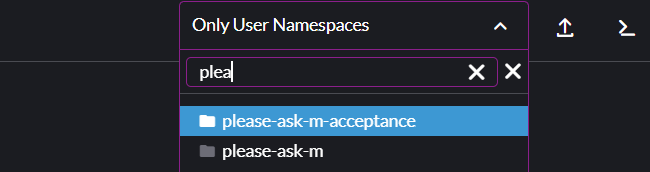
Use the rancher namespace dropdown to select the namespace you wish to create the CronJob for.
Under the workloads tab on in the left navigation bar, select CronJobs. Click the Create button to create a new CronJob.
2. Configure CronJob Details
You’ll be presented with a form to define your CronJob. Please fill in the following information for your cronjob:
Namespace, select the namespace where the CronJob will run.Name, provide a unique name for your CronJob.Description (Optional), provide a description for your CronJob.Schedule, define the schedule in cron format (e.g., */5 * * * * for running every 5 minutes).
3. Define the CronJob’s container Template
You need to define the container that will be run on schedule. This can be done in same way as setting up a regular deployment. For more detail, use Setting up a Deployment in rancher. For CronJobs specifically, make sure the following are set correctly. These often differ from a deployment of the application:
Command, the root command which should be used. (e.g.php,poetry,node)Arguments, the arguments for the command which will be run. (e.gbin/console run:cron,run python cronjob.py,cronjob.js)
4. Advanced CronJob Settings (Optional)
These options can be found under the CronJob, Scaling and Upgrade Policy tab.
Completions, define how many successful completions should be required for the job to be marked as successful.Parallelism, define how many pods each job should run.Backoff Limit, set the number of retries before the job is considered failed.Active deadline, set the duration that the job may be active before it's terminated.Successfull job history limit, define how many successfull jobs will be retained.Failed job history limit, define how many failed jobs will be retained.Concurrency, choose the concurrency of the CronJob.
5. Click save to enable the CronJob
Your CronJob is now created successfully.